
Synclet
A folder on your phone, kept in step with your NAS or server — on a schedule, over whatever address that machine has today.
What it looks like
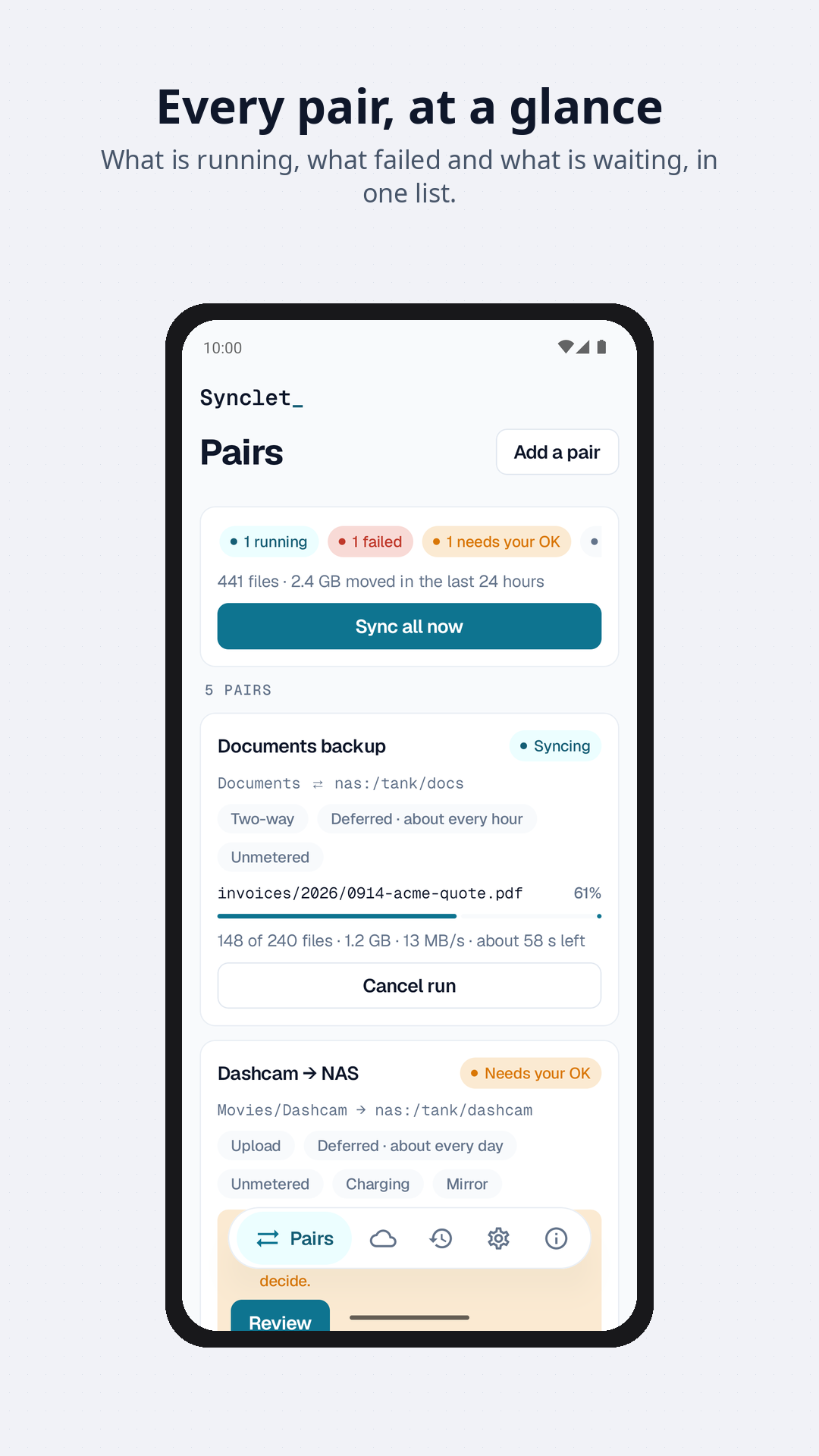
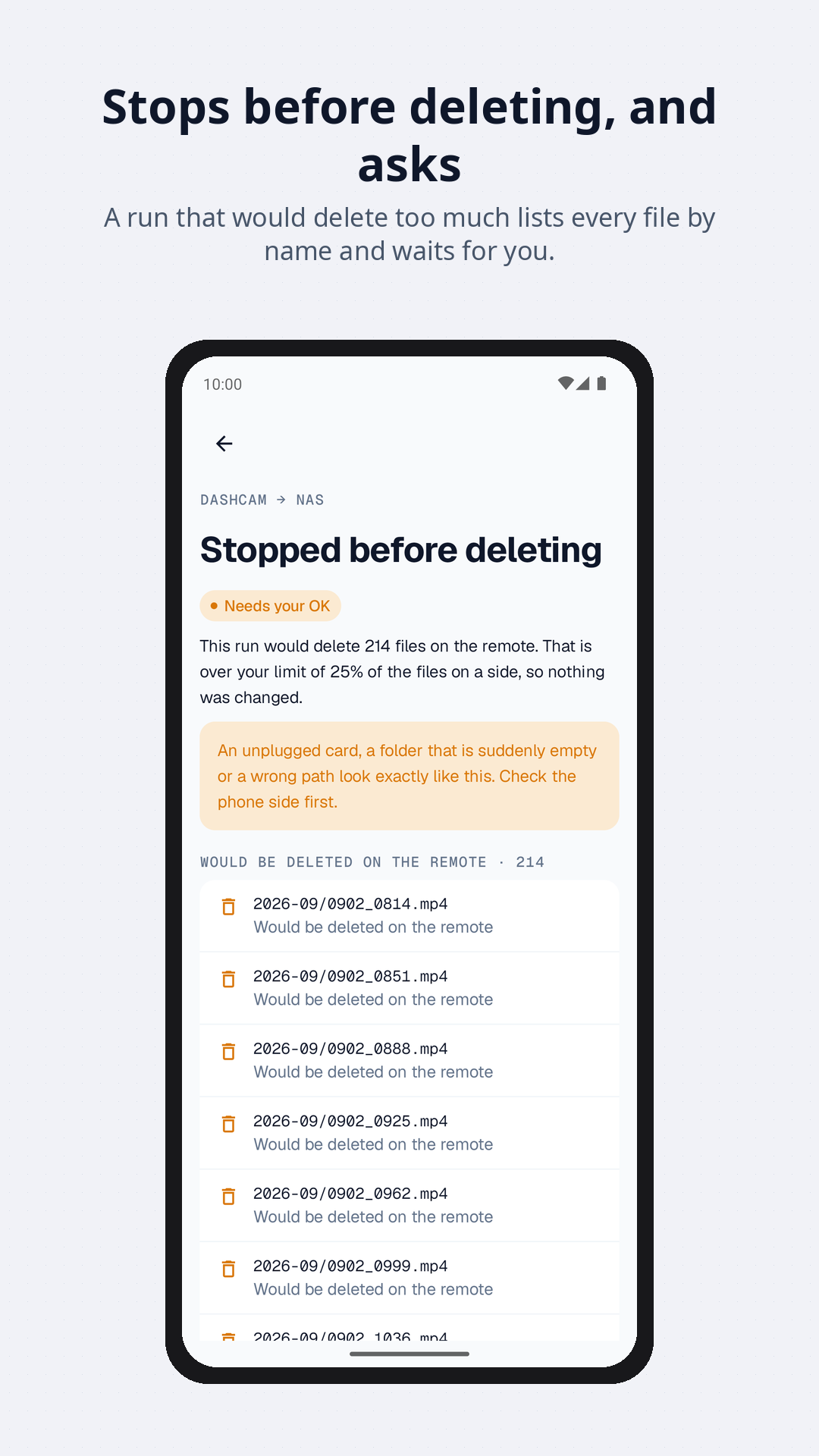
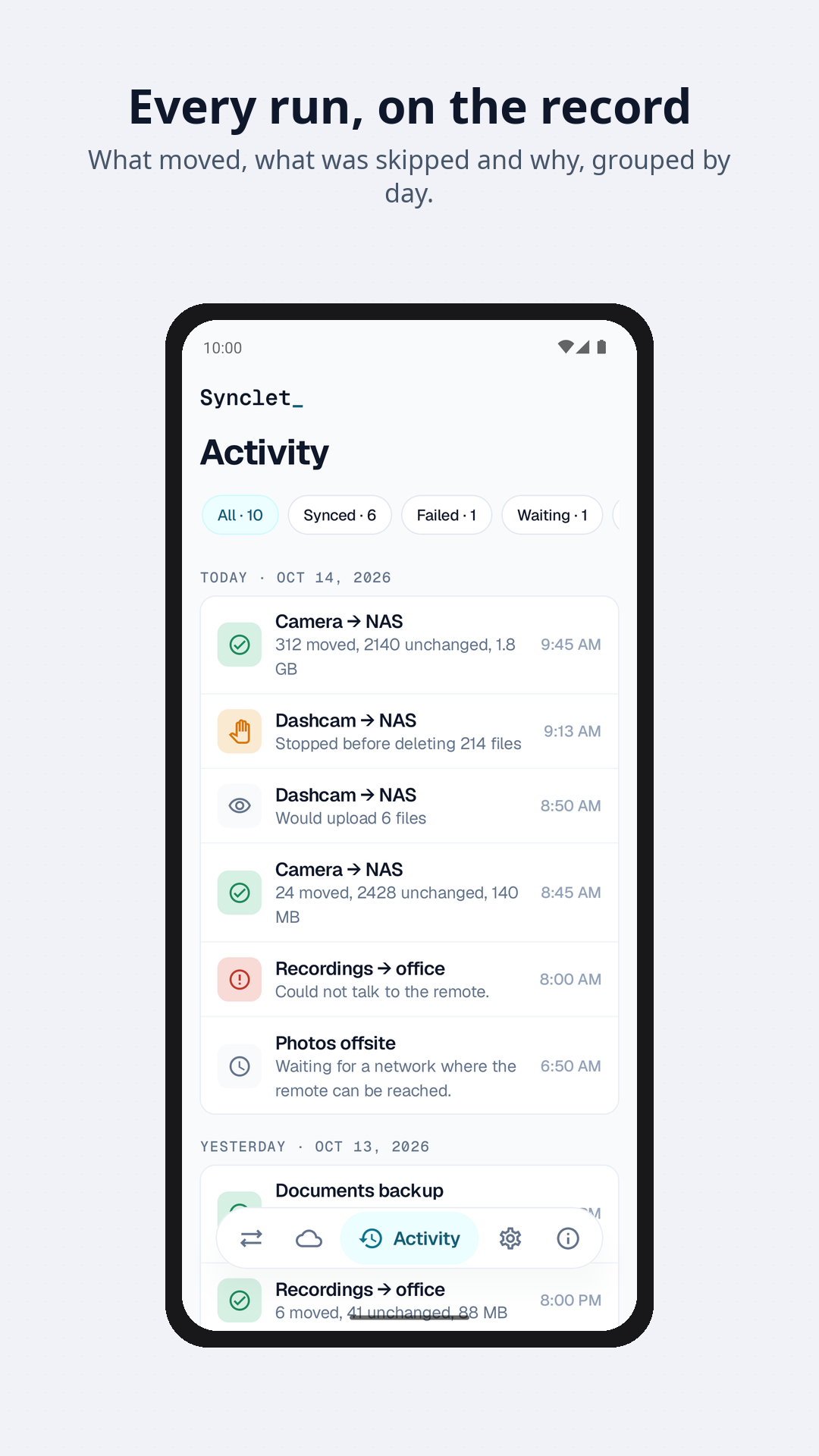
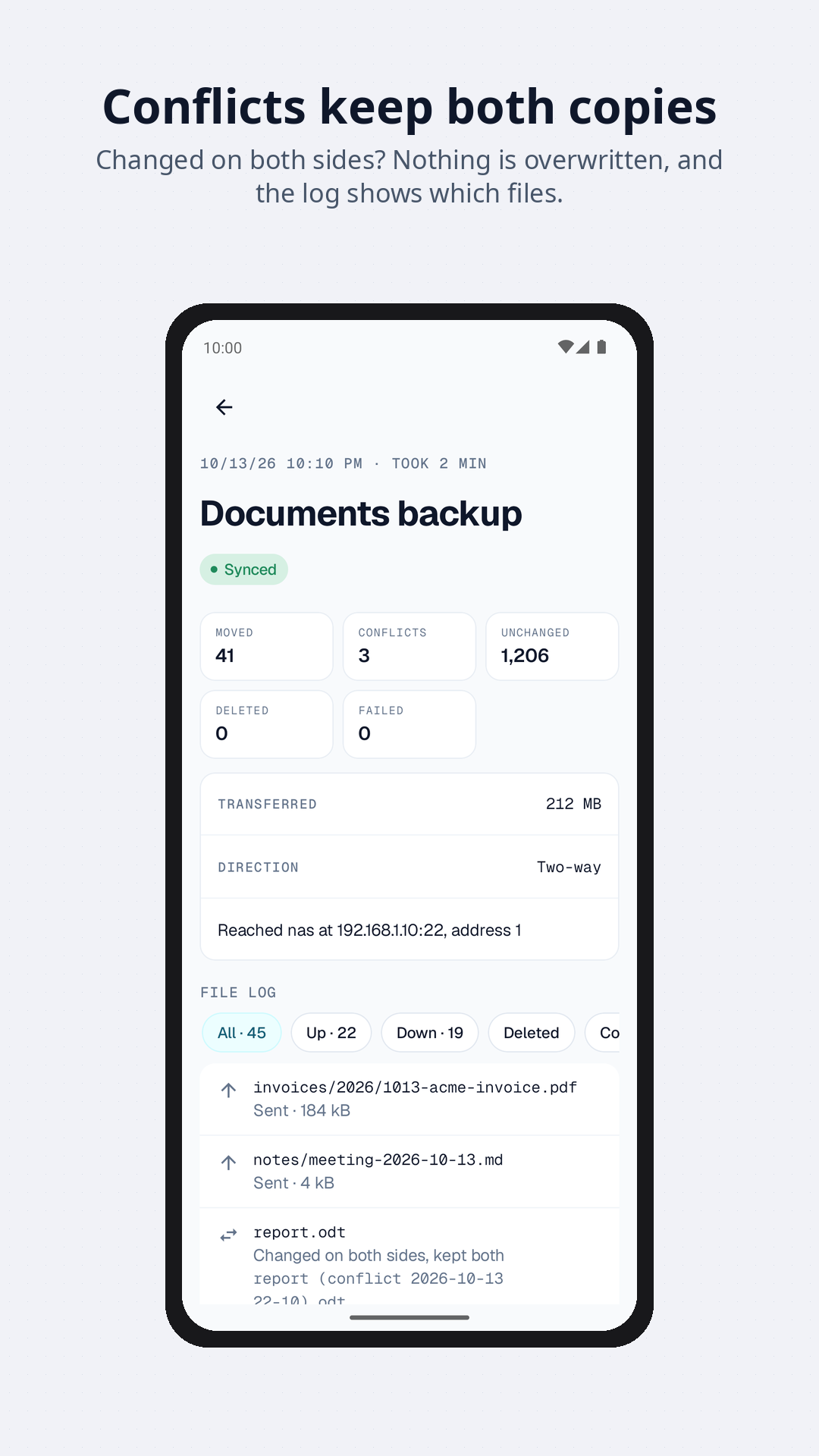
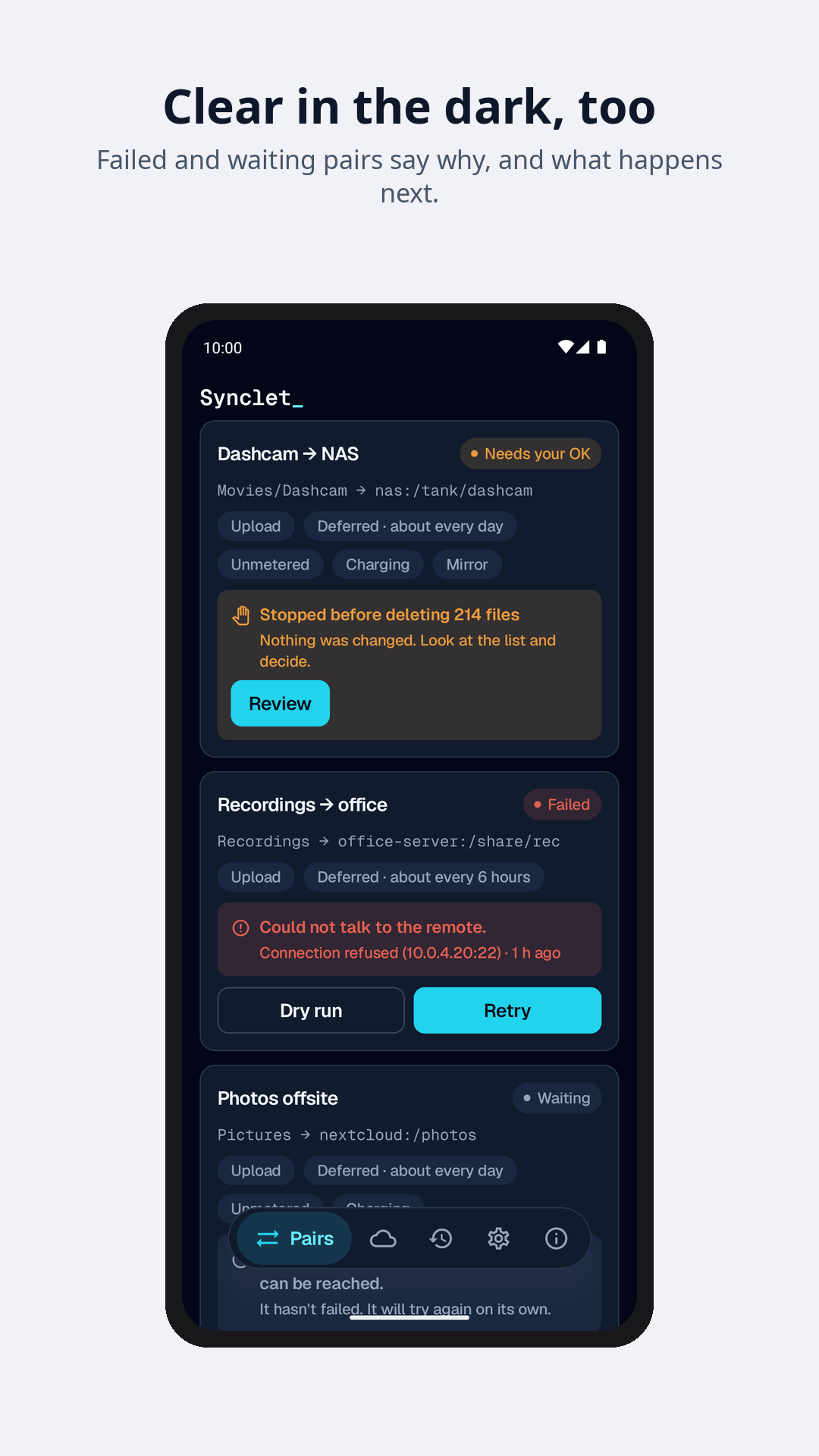
Every sync app assumes your server has one address. Yours does not: it is
192.168.1.10 at home, a hostname from outside, and something else entirely over the
tunnel. Synclet treats that as normal.
This is an early release (2026.10.1, beta). The page below describes what it does today, and says what it does not do yet.
What it syncs
- SFTPWith a password or an SSH key. The server's host key is pinned the first time Synclet sees it, and a key that changes stops the run instead of carrying on.
- WebDAVNextcloud, ownCloud and generic servers. Plain-http WebDAV is offered, but flagged: it sends your password in clear.
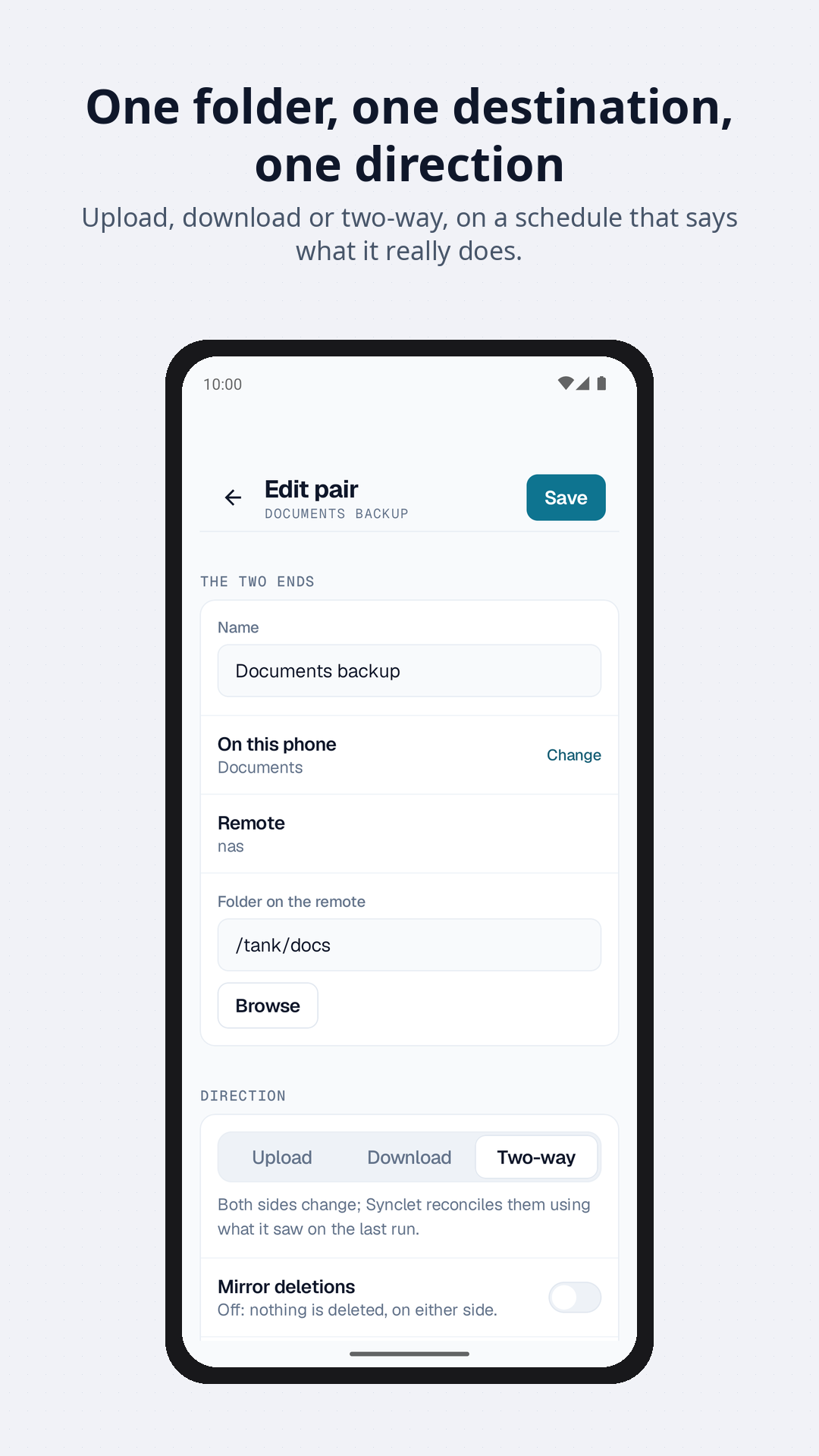
- Upload, download or bothOne folder on the phone, one on the remote, and a direction. Two-way sync remembers the last run, so it can tell a new file from a deleted one.
- Deleting is opt-inA pair never deletes anything unless you switch on mirroring deletions for it, and even then a few safeguards stay on.
SFTP and WebDAV are the only protocols in this release. FTP, SMB, cloud services and S3-compatible storage are planned; there are no dates.
Two-way, with a memory
After every run Synclet records what each side looked like. A file missing on one side but present in that record was deleted; a file missing from both the record and that side is new. Without the record two-way sync cannot tell them apart, and loses files.
- The first two-way run copies in both directions and deletes nothing.
- When both sides changed, both copies are kept by default, one of them renamed. You can choose newest wins, largest wins, phone wins or remote wins instead — each of which can lose an edit, so none of them is the default.
One remote, several addresses
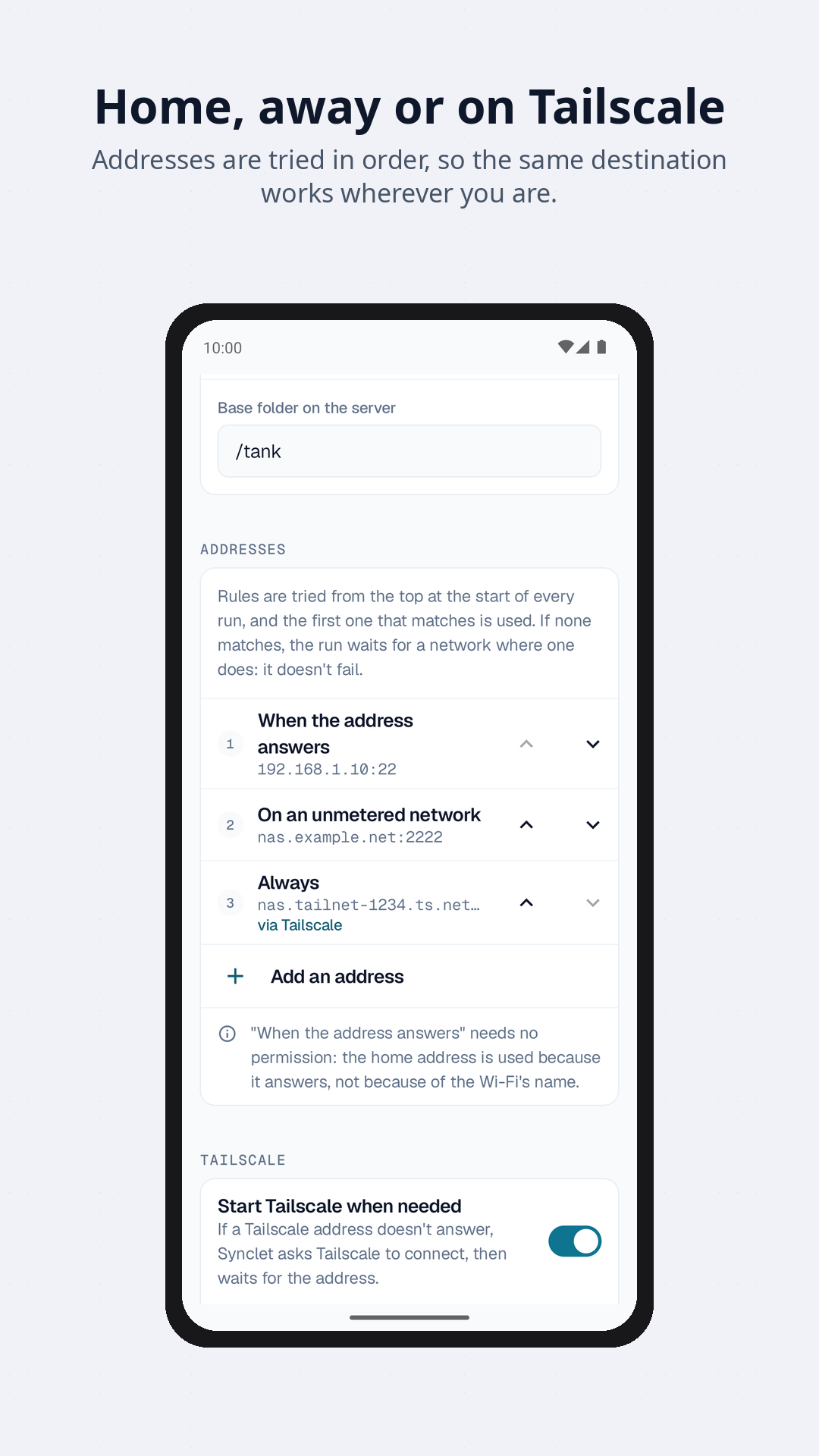
A remote in Synclet is a machine, not an address. It carries an ordered list of rules, and the first one that matches the network you are on right now is the one that gets used:
| When | Use |
|---|---|
If 192.168.1.10 answers within 2 seconds | 192.168.1.10:22 — straight over the LAN, full speed |
| On any other Wi-Fi | nas.example.net:2222 |
| On mobile data | nas.tailnet-1234.ts.net, through the tunnel |
One set of credentials, one remote folder, three ways in. A rule can be: if this address answers within 2 seconds (the default, and it needs no permission), any Wi-Fi, an unmetered network, mobile data, Ethernet, a VPN being active, or always.
There is no rule for a Wi-Fi network by name, and so no location permission: Android only tells a background app the network name if it has location access “all the time”, and Synclet will not ask for that.
If no rule matches — you are in a café and the server is at home — the run waits, it does not fail. It goes ahead when you get back.
It can start Tailscale for you
A remote that only exists inside your tailnet can be marked as needing it. When the Tailscale address does not answer, Synclet asks Tailscale to connect, waits for the address to answer (20 seconds by default), and runs. If you want, it disconnects Tailscale again afterwards — but only if it was Synclet that started it.
Honest about the limits. Tailscale has to be installed, signed in, and to have been connected by hand at least once: Android will not show the VPN consent dialog to an app running in the background. And since Android runs one VPN at a time, connecting the tailnet disconnects whatever other VPN was up. This uses the automation hook Tailscale ships for Tasker and friends, not an official API, so Synclet checks it is there and hides the option when it is not.
Schedules that tell you the truth
Android has firm opinions about background work, and most sync apps let you configure a cadence the system will quietly ignore. Synclet’s scheduler is the deferred one — the platform’s own WorkManager — and it says so:
- About every 15 minutes, hour, 6 hours or day. The word is about: 15 minutes is the platform’s floor, and in deep sleep (Doze) a run waits for the next maintenance window.
- Optional conditions: only on an unmetered network, only while charging, not when the battery is low.
- No permanent notification and a light touch on the battery.
A precise scheduler — at 03:00 exactly — is not in this release.
Or skip the clock: Run now from the app, from the widgets, or after a dry run that lists what would change before anything does. A running sync can be cancelled.
On the home screen and in the shade
- Two widgets: an overview of all your pairs with a sync all button, and a widget for a single pair with sync now.
- Notifications for progress, for failures, and for a sync that is waiting for your OK.
- A log for every run, with the files transferred, skipped or failed and why.
- Filters: include and exclude patterns, hidden files, a size limit.
Not losing your files is a feature
- Deletion is opt-in. Mirror deletions is a switch on each pair and it is off by default.
- A pair’s first run never deletes. It lists what it would delete, and waits.
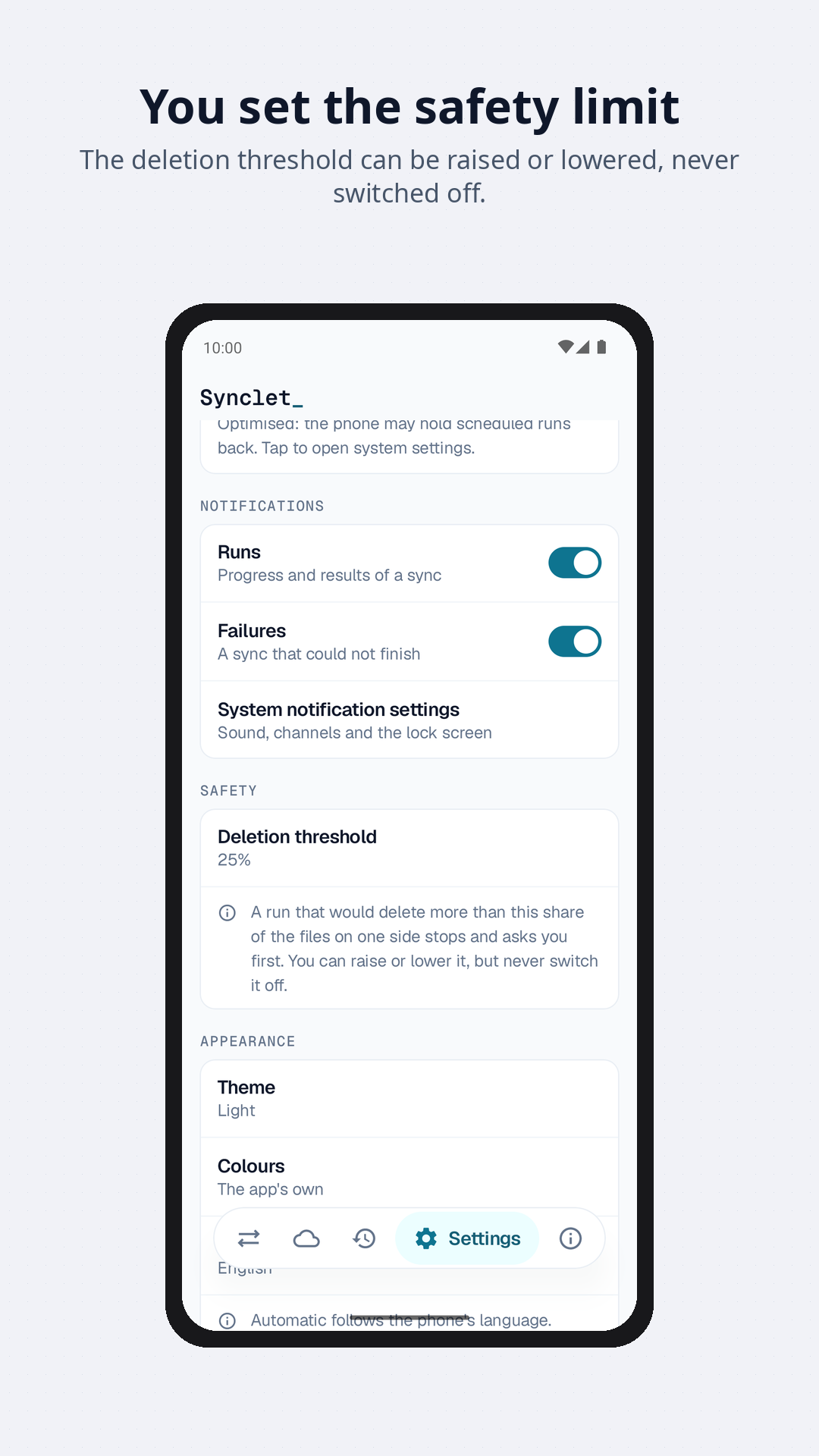
- A run that would delete more than a threshold stops and asks — 25 % of the files on that side by default. An unmounted drive and a wrong path look exactly like “the user deleted everything”; the difference matters far too much to guess.
- Deletions are always shown by name.
- A one-way pair never deletes on its source side: an upload never touches the phone, a download never touches the remote.
- Uploads and downloads are atomic. A file lands under a temporary name and is renamed on success, so a half-written file never appears as the real one.
- A file modified in the last 30 seconds is skipped, because it may still be being written; it goes in the next run.
None of the safeguards in this list can be turned off. They reduce the chance of a mistake spreading; they are not a backup, and a sync is not either.
Privacy
Your files go from your phone to the remotes you configured, and nowhere else. There is no account, no server belonging to us, no advertising and no analytics.
Passwords and SSH keys are stored encrypted on the device, never in a log. SSH host keys are pinned the first time and a change stops the run. Synclet asks for no location permission. The one thing that can be sent to the author is a bug report or an idea you write yourself in the Info tab, and only when you press send. The full text is on the Privacy Policy page.
Get it
Synclet requires Android 8.0 or later, and speaks English and Italian (switch in the app). It is free, with nothing to buy yet.
Add this repository in F-Droid, or as a source in Obtainium, which reads the same repository:
https://releases.android.apps.gpm.name/repo
On a phone that already has F-Droid, this link adds it in one tap, fingerprint included. Otherwise check it against:
C983 7356 6EEC 235E CEFB 7D29 A582 6367 4D80 B432 8699 2BCB 7ACB 3AA4 3CA3 C41E
Updates then arrive on their own, verified against the repository signature.
Synclet is not on Google Play yet. When it is, the Google Play build and the one from this repository will be signed with different keys, so Android treats them as two apps: moving from one to the other means uninstalling first.
- Changelog — what changed in each release
- Privacy Policy · Terms of Service
Leggi questa pagina in italiano.
Frequently asked questions
What is Synclet?
Synclet is an Android app that keeps a folder on your phone in step with a folder on a server or NAS, over SFTP or WebDAV, either on a schedule or when you press a button. A remote can carry several addresses, and the first rule matching the network you are on is the one used.
Is Synclet free, and is it open source?
The app is free to download, has no advertising and contains no purchase yet. The terms say some features may later be offered as a paid unlock, and that whatever is free today stays free for installs already using it. The source code is not publicly available.
Do I need an account?
No. There is no Synclet account and no server of ours in the middle: files go from your phone straight to the remotes you set up. An e-mail address is asked only for optional things such as reading replies to a bug report or voting on a feature request. See the privacy policy.
What data does Synclet collect, and where is it stored?
Credentials, configuration, sync state and run logs stay on your phone, with passwords and SSH keys stored encrypted. Your files go only to the remotes you configured. There are no analytics and no crash-reporting service in the app. What you send from the feedback screen is the only thing that reaches us, and only if you press send.
Which protocols does it support?
SFTP (password or SSH key) and WebDAV (Nextcloud, ownCloud and generic servers). That is all in this release: FTP, SMB, cloud services and S3 storage are planned, with no dates promised.
Will it delete my files?
Only if you switch on mirroring deletions for a pair, which is off by default. Even then a pair’s first run never deletes anything, a run that would delete more than a threshold (25 % of the files on that side by default) stops and asks, every deletion is listed by name, and a one-way pair never deletes on its source side.
How often does it sync, and how exactly?
Roughly every 15 minutes, hour, 6 hours or day, optionally only on an unmetered network, while charging, or when the battery is not low. Android decides the exact moment: 15 minutes is the platform’s floor and Doze can delay a run by much more, so Synclet says “about every hour” and not “every hour”. You can also run a pair whenever you like. Exact-time scheduling is not in this release.
Does it need location permission?
No. Synclet asks for no location permission. It picks an address by seeing which one answers within two seconds, which needs no permission at all. It does not match Wi-Fi networks by name: Android only tells background apps the network name if they hold location access “all the time”, and Synclet will not ask for that.
Which Android versions and languages?
Android 8.0 or later. The app is in English and Italian, with a language switch inside the app, and has a light and a dark theme.
How do I delete my data?
Uninstalling the app removes everything it stores on the phone. If you proved an e-mail address for reports or votes, ask for the account to be closed as described on the delete account page.